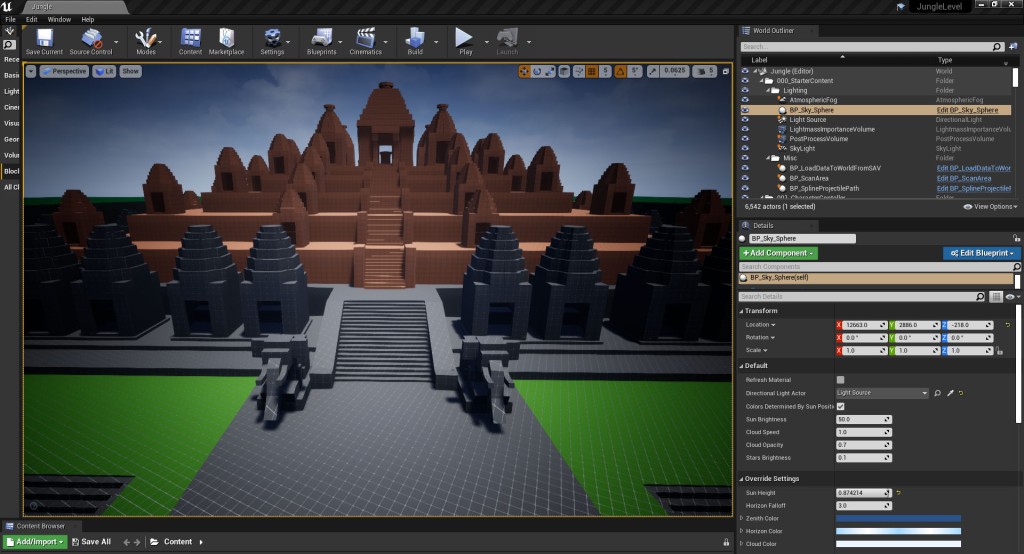
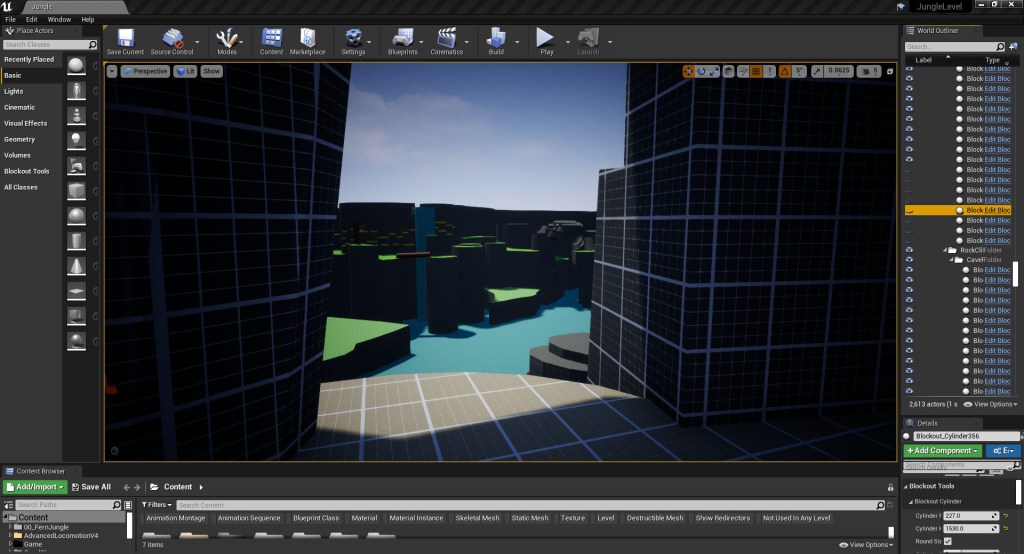
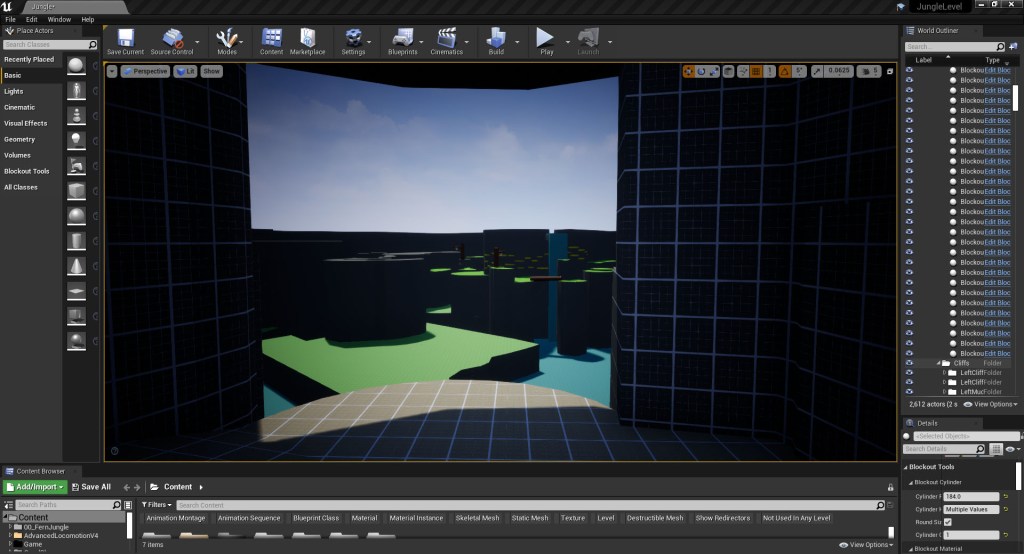
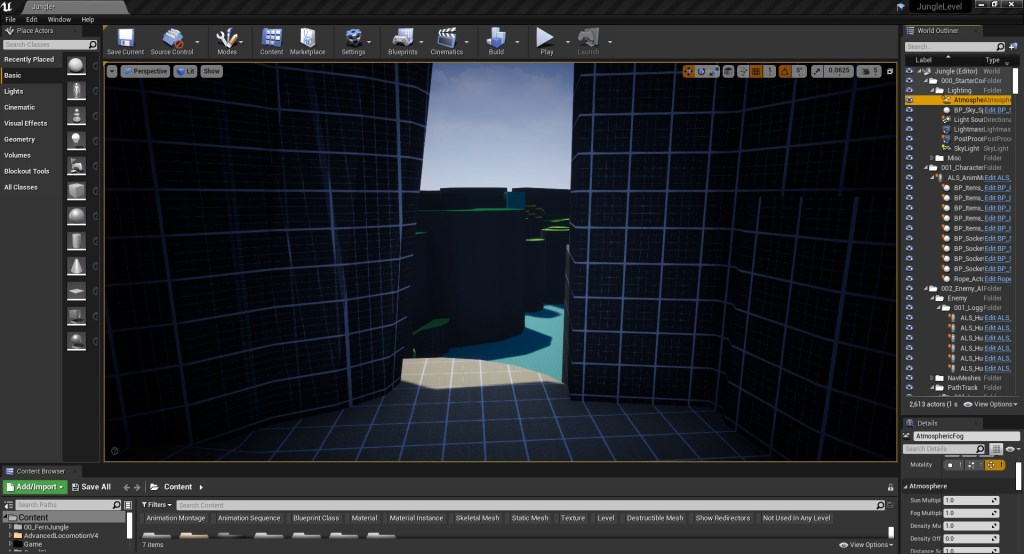
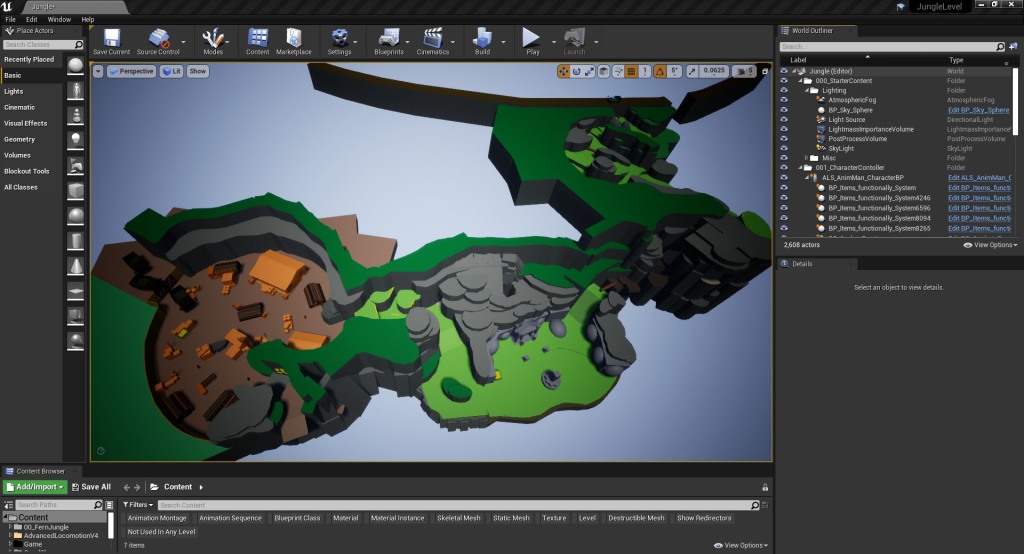
I decided that the beginning part of this week would be spent iterating on the areas I had already created and applying the feedback I had received from the earlier playtests. I started by playtesting the entire level from start to finish and really analysing the starting sections as the views had really changed with the addition of the later areas. When I originally blocked out the early sections of the map I had to imagine, based on the 2D map what the sightlines and views would potentially be. From doing this I realised that I need to make some small changes to the first small cave before the temple as players are able to see too far into the level and the space, in general, looked too open and not overgrown enough for the Cambodian jungle. I changed the size of the opening in the cave to limit the view the players have as well as block off the view of the opposite shore through the addition of the higher cliff between the two (fig 1-6). The player is still able to gain a glimpse of what is to come but they are denied a full view of where they are going until they progress further into the level.



I then moved on to updating the Logging area based on feedback from the previous playtesting section:
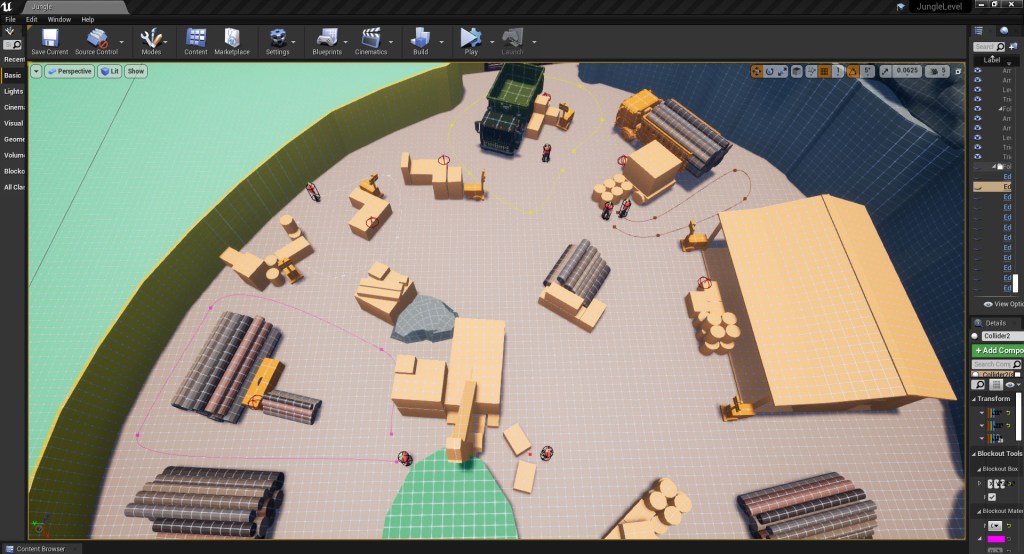
- I made changes layout of the environment:
- Added a fence to the start of the combat area so that the player is able to drop down from the cliff into the logging area without instantly being spotted by the enemy AI (fig 7-8.).
- Having set specific enemy routes for them to patrol, I experimented with the placement of the box to try and find an area where there would always be a clear path for the players to push it to the ledge to climb out of the logging section. However, as the enemies will move from their predetermined path to search for the player if the player is spotted, or if they see another enemy has been killed I decided to scrap the pushing block. Instead, I went with a simple climbing section that is in full view of the enemy characters meaning that the player must defeat the patrolling enemies in order to avoid being spotted (fig 9).
- I hired the smaller cliff in the middle of the area as players could climb up onto it. Once the foliage has been added to this cliff section will be covered in trees and plants which will block the player’s view to the other side of the combat areas (fig 9).
- Added in block foliage to the area around the broken digger to prevent players from being able to climb onto it
- The Player now needs to enter the area by crouching and sneaking into the first building as the new fence blocks of the direct entrance (fig 7-8).
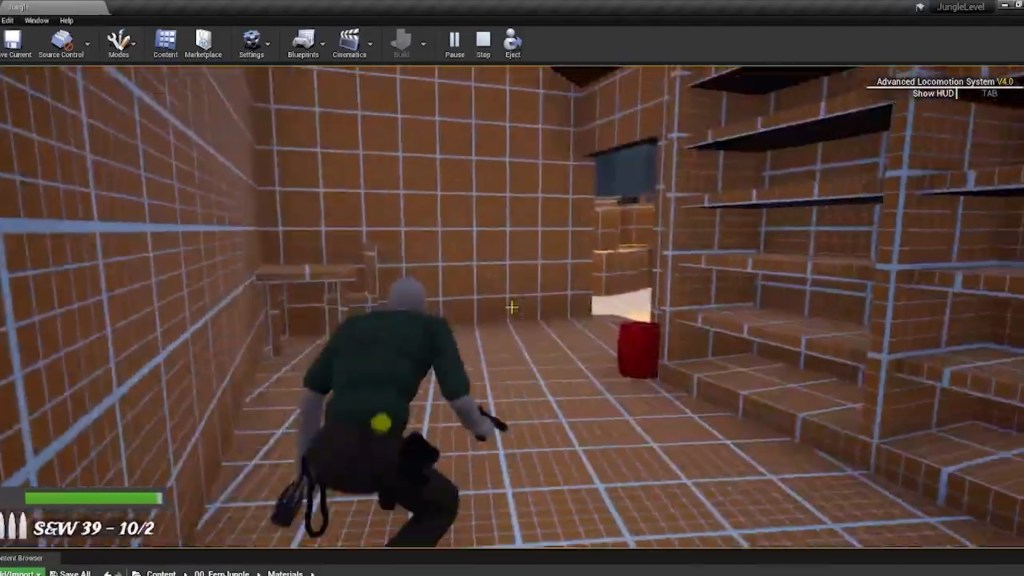
- Add specific enemy routes so that they don’t just randomly patrol the area. While I have kept most of the enemies patrolling the other three are stationary. The first stationary enemy can be found in the first building the player sneaks through to enter the area, the second can be found by the broken digger with the third one standing near the abandoned logging truck. These enemies are optional engagements, as the player can choose to attempt to sneak past them and only kill the moving enemies (fig 10-11).
- Added more exploding barrels so players with a more aggressive playstyle have more options (fig 10-11).
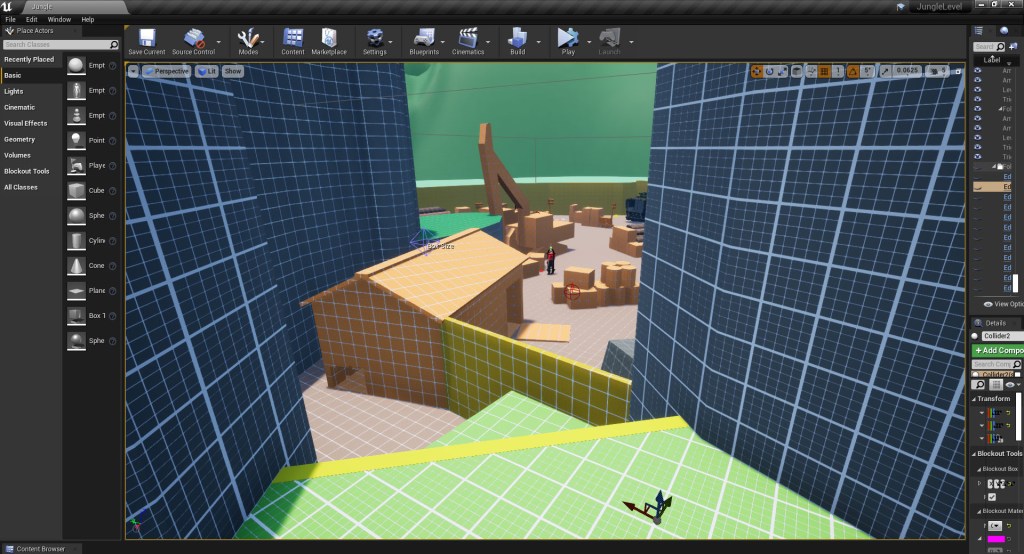
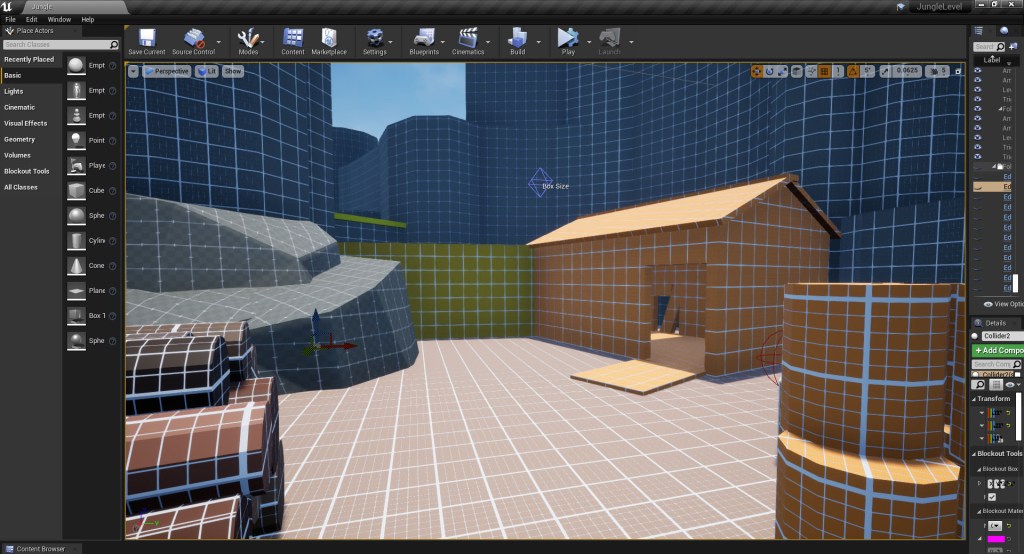
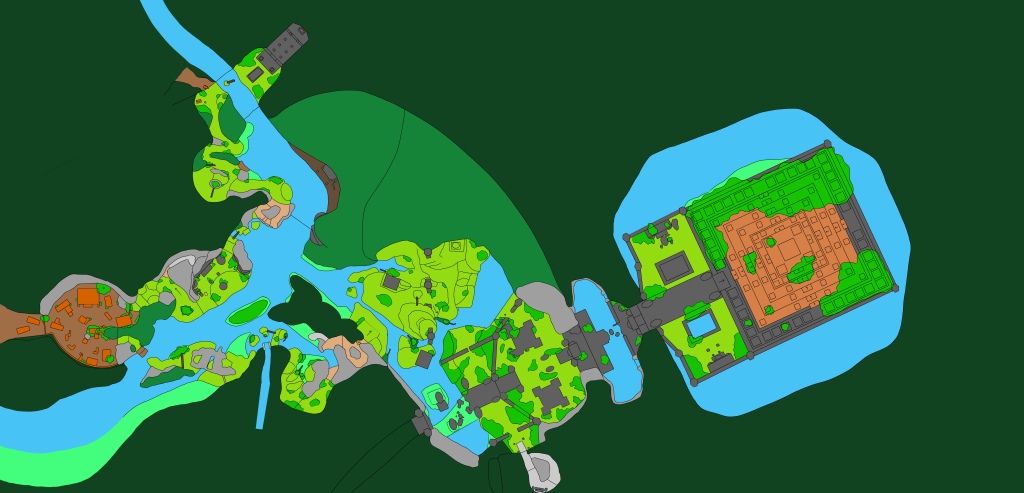
Having made the changes based on the feedback from the playtesting I moved on to finishing the cliff combat zone, and then started blocking out the main temple area. I realised when blocking out the temple that the ground height for the temple areas was too low, meaning that the temple was hidden from view at the first vista point. As the temple is the main guiding landmark and players being able to see it from the first vista point is really important I raised the height of the ground level that the temple is on to make it more visible from the viewpoints and make it a more constant and visible landmark for the player to be able to keep track of (fig 12-17).


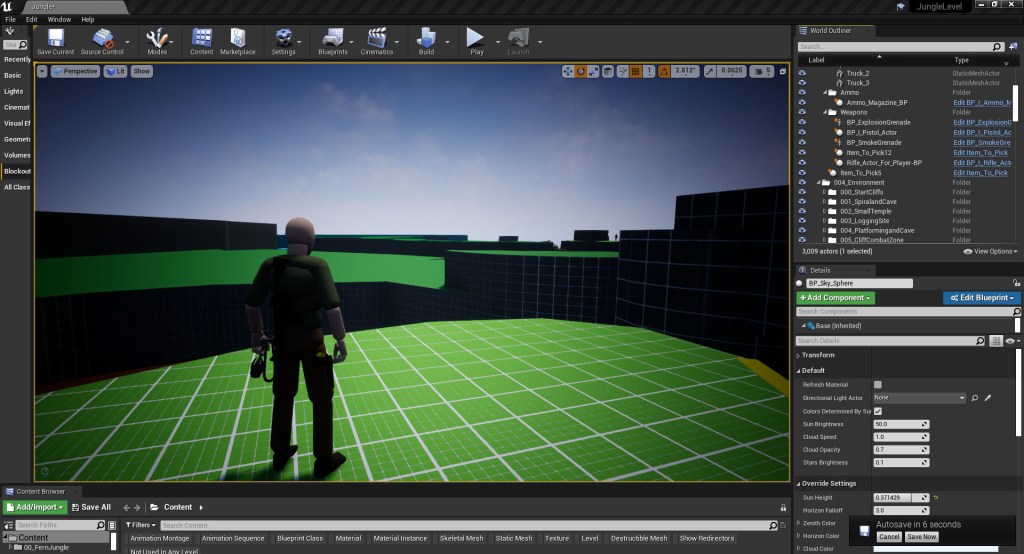


With the temple now visible again from the vista points, I carried on blocking out the temple structure, starting with the first section of the temple district. I used this first section to play around with what shapes to use to achieve the layered pyramid effect found throughout 12th Century Cambodian architecture from the Khmer Empire (fig 18-19). The architectural style is very important to convey the setting to the player but also for a player’s ability to form cognitive maps. Cambodian architecture from this era is very geometrical with a lot of repeating patterns and shapes which contrast with the surrounding natural and organic nature of the jungle. This contrast, both in the shape and colour – with the greys and reds of the rock standing out against the green foliage, allow the landmarks to stick out in the environment and draw the player in; cementing them in the player’s mind and their cognitive maps.
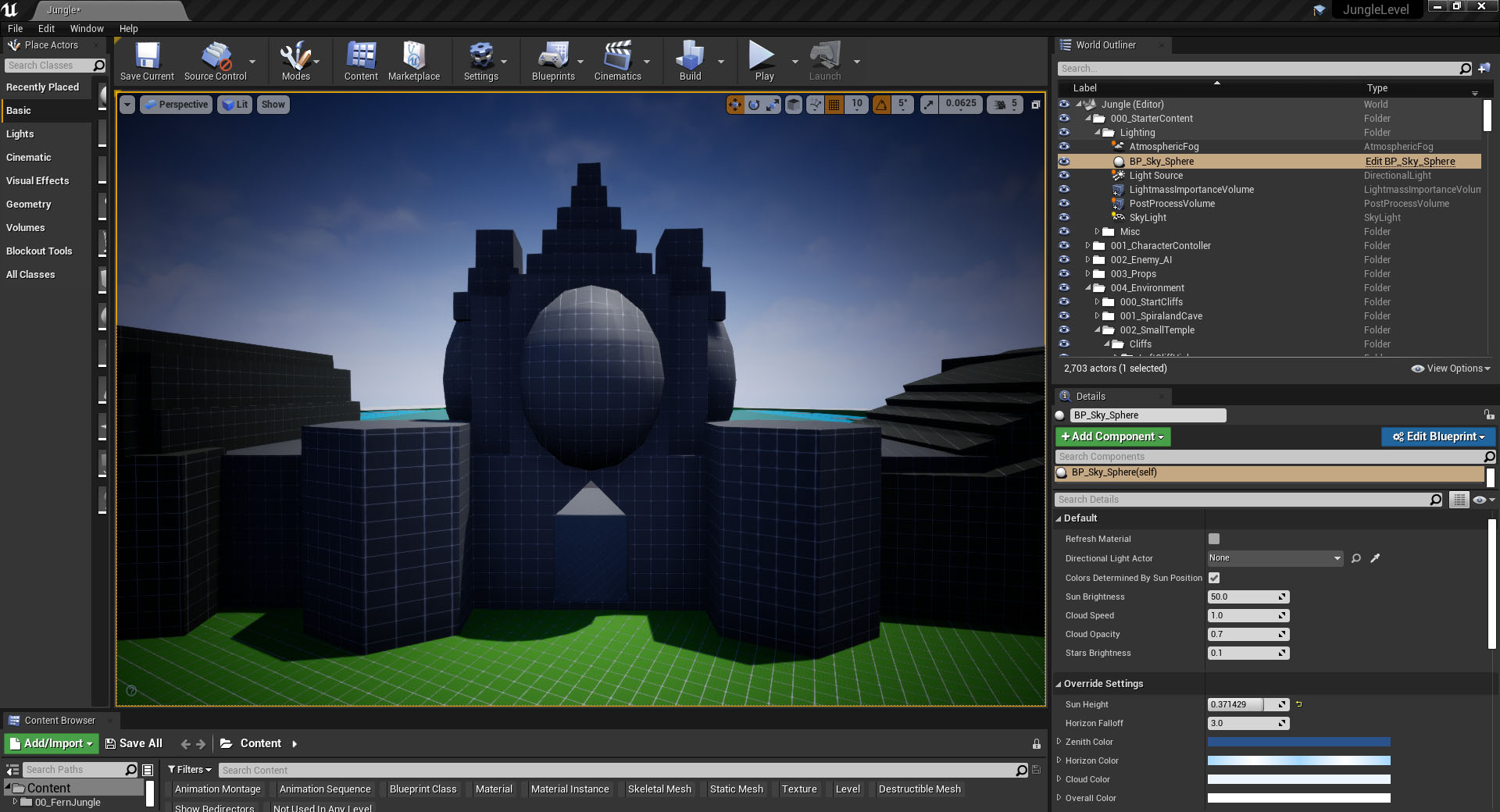

Having established the shape language I would be using for the architecture I moved on to building the two structures that dominate the space in this area (fig 20-21). This area is very symmetrical and open at the moment and doesn’t really guide the player in any one direction, other than forward through the next gatehouse. The plan is to break up the regularity of the buildings to show signs of age and decay and then to use foliage, shadows and light to imply paths that the player can use to navigate the space with. architecture from the Khmer Empire


I then moved on to the next gatehouse and lake areas, which is an important aspect of Hindu temples. Hindu temples tend to be built either next to large bodies of water or have man-made canals, lakes and ponds built into the surrounding land next to them. Once I finished blocking out these spaces I decided to playtest the section before moving on to the final, main temple area as this section felt quite large in comparison to other areas. Playtesting the temple district area myself confirmed that this middle district section did take too long to travel across so I decreased the size of this area (fig 22-23). Moving the final gatehouse closer also had the added benefit of the structure becoming framed by the pillars as the player emergences from the middle gatehouse which I feel works really nicely (fig 24).

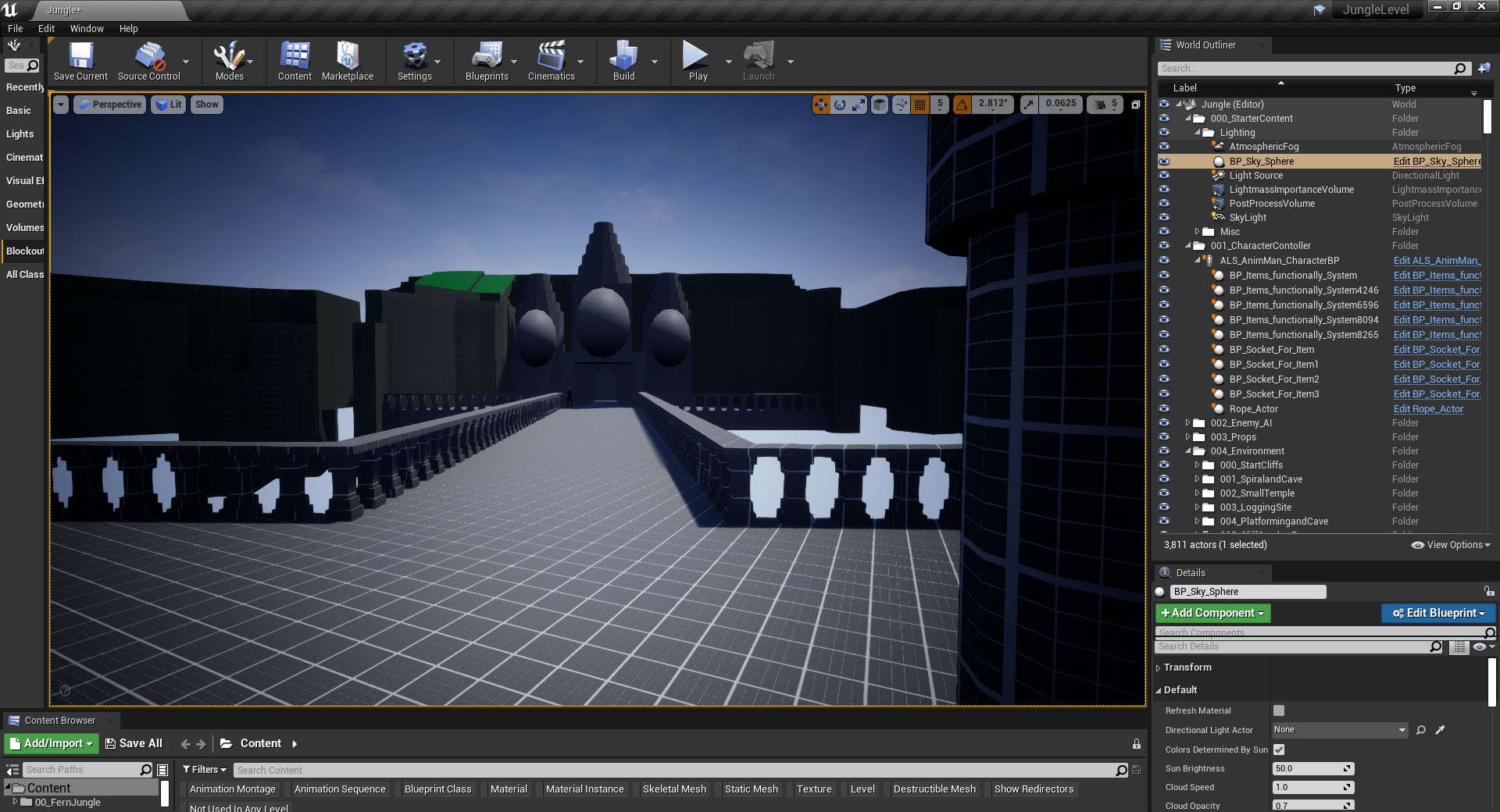
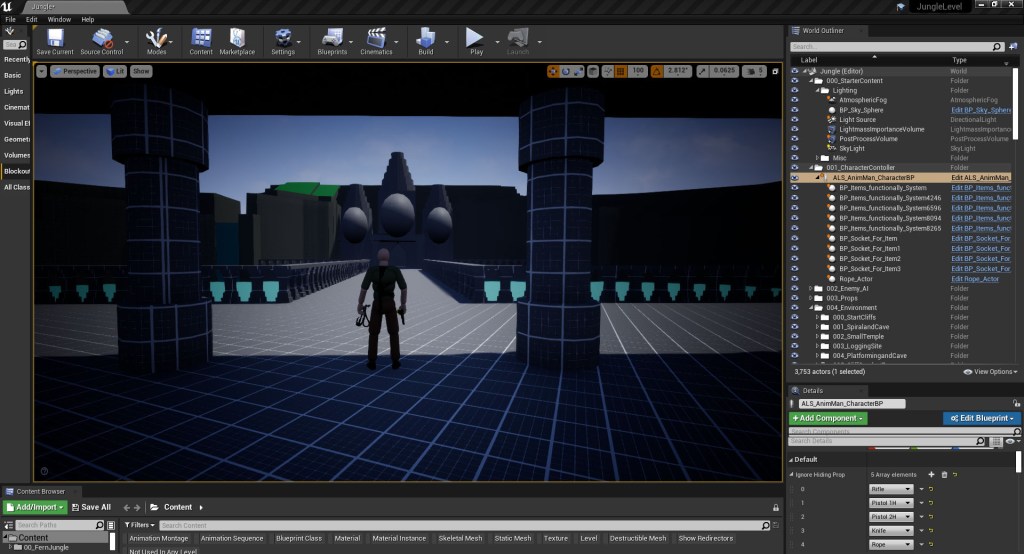
Having finished with the gate house sections I moved on to blocking out the main temple district. Rather than adding the architectural details in straight away I focused on the macro shapes, wanting to get the flow and layout of the space right first (fig 25-26). Once I was happy with the placement of the structures in this section, I went through and updated the blockout, going adding in the architectural details and shape language that communicated to the player that the level is based in Cambodia (fig 27).

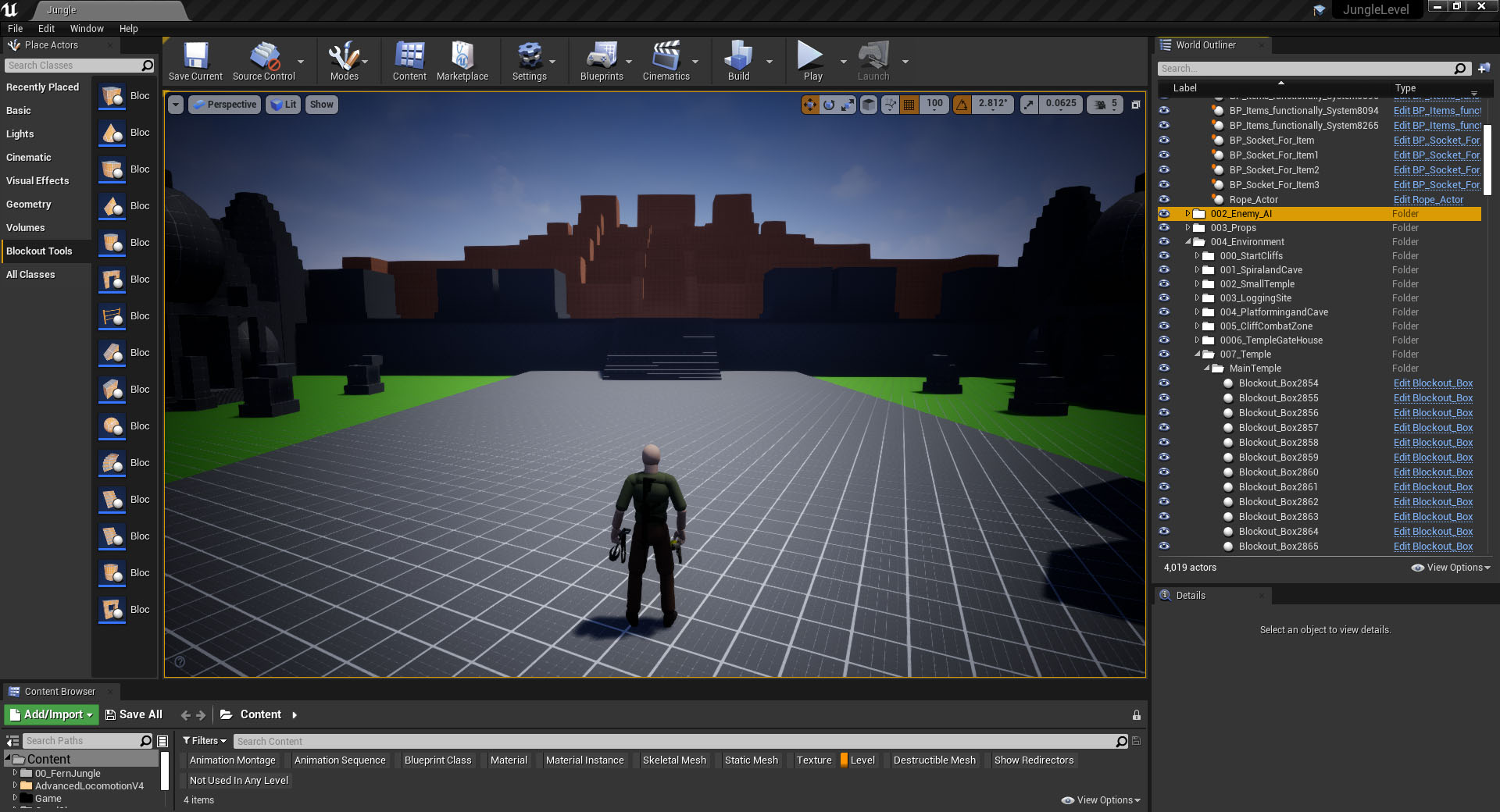

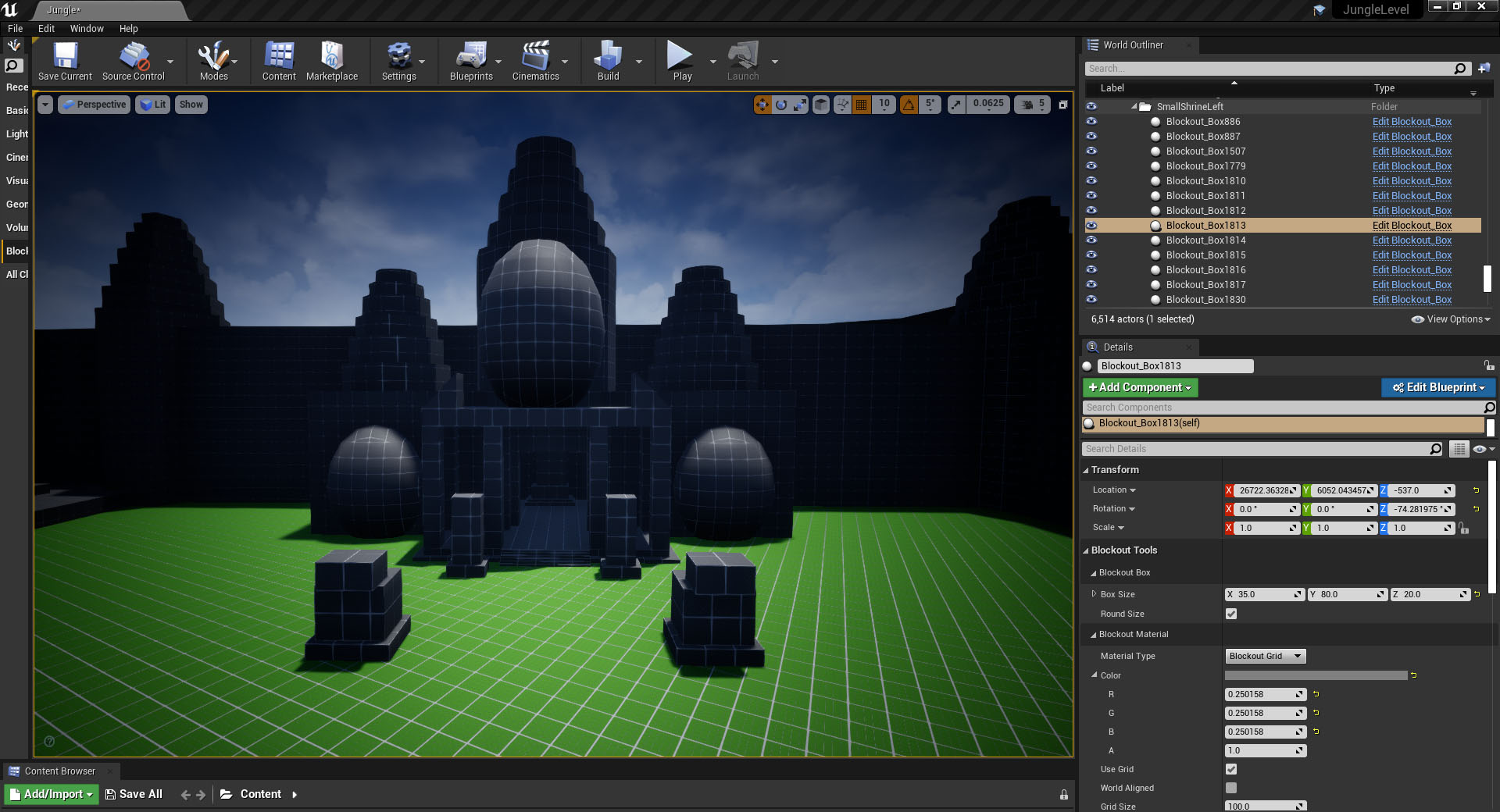
To take a break from adding in the detailed structures to the pyramid temple blocked out I started adding sign of age and collapse to the other structures in the temple district. Having finished blocking out the first sections of the temple complex, all the buildings look too regular and new and need to be broken up to show signs of age, collapse and the feeling of nature taking over. I started with the first two districts and the small temples in the main area, making the left side of the areas more collapsed to show that this side received the brunt of the effects of the weather. Breaking up and ageing the buildings also serve to make the structures more unique and less symmetrical making the cognitive mapping process easier and they become distinct, local landmarks (fig 28-34). Once the foliage has been added to the level, the feeling of nature reclaiming the area will be made more obvious and will help to block off sections of the districts as the space is currently still quite large and may be overwhelming to some players.

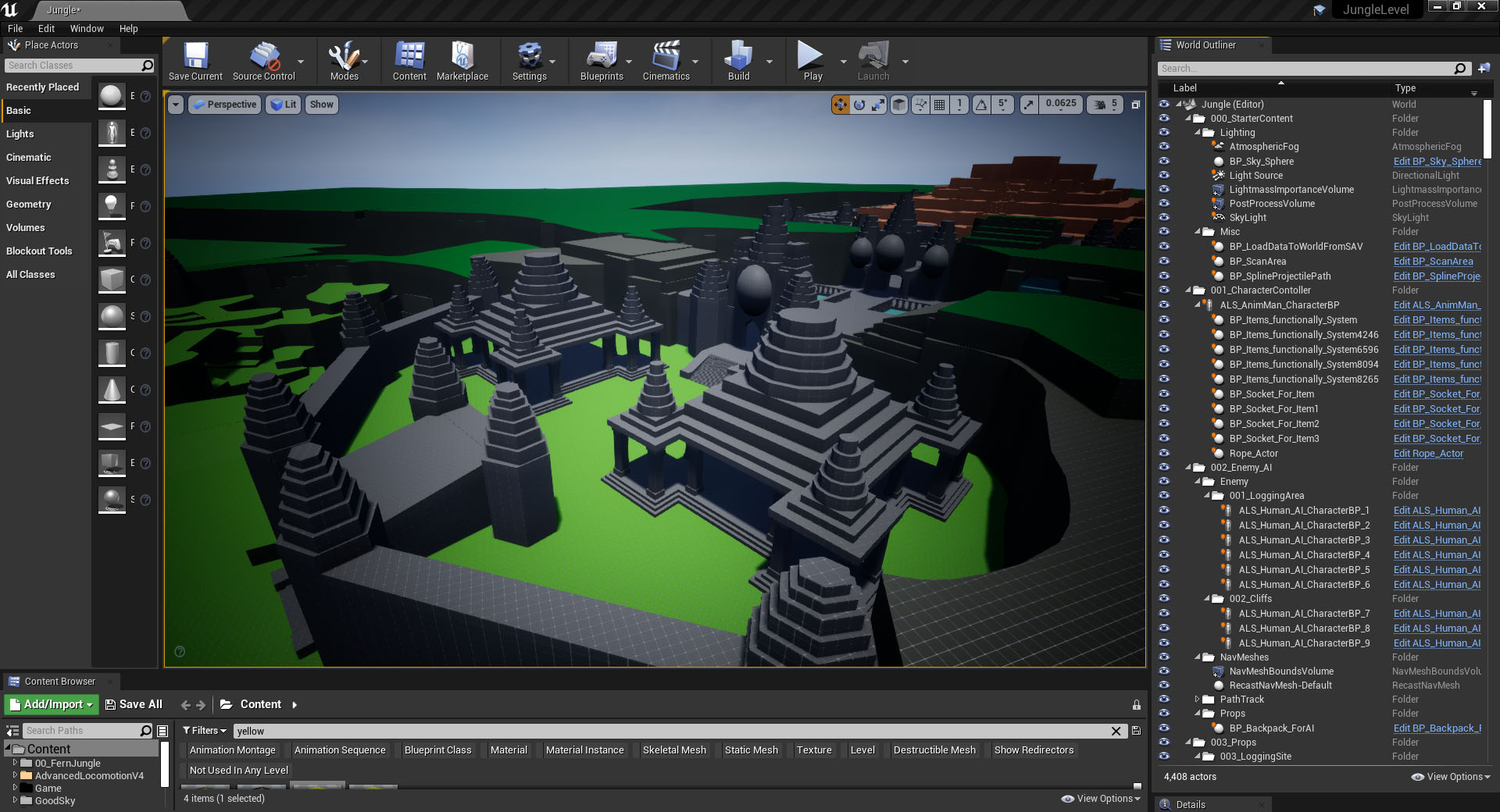


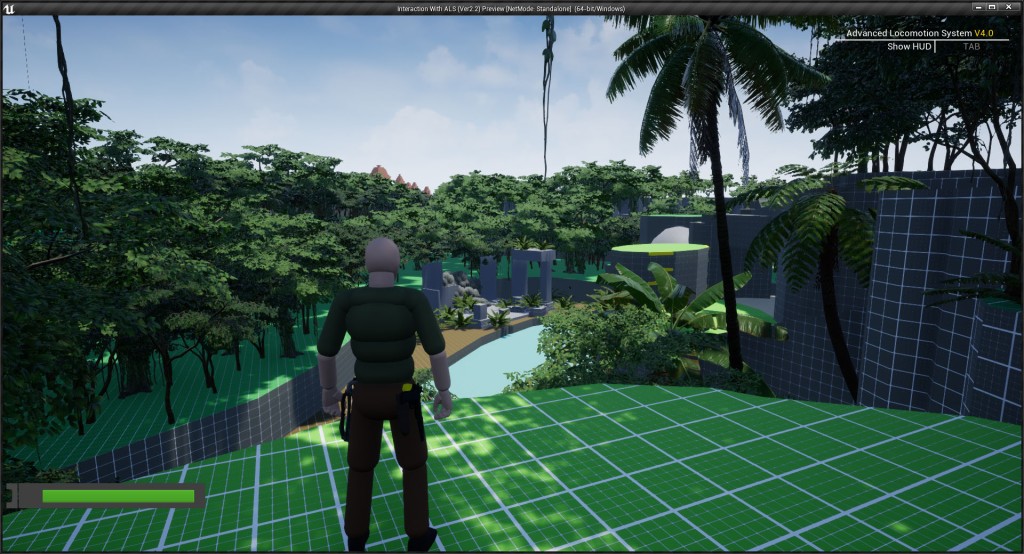
The final thing I did this week was to make some changes to the lighting, making the level lighter and removed the Fresnel effect from the camera that was included as part of the project from Jakob W.
“Don’t be sorry. Be better.”
Kratos – God of War (2018)
Figures:
Figure 1: Screengrab from Jungle level blockout
Figure 2: Screengrab from Jungle level blockout
Figure 3: Screengrab from Jungle level blockout
Figure 4: Screengrab from Jungle level blockout
Figure 5: Screengrab from Jungle level blockout
Figure 6: Screengrab from Jungle level blockout
Figure 7: Screengrab from Jungle level blockout
Figure 8: Screengrab from Jungle level blockout
Figure 9: Screengrab from Jungle level blockout
Figure 10: Screengrab from Jungle level blockout
Figure 11: Video of the new guard routes for the logging combat area
Figure 12: Screengrab from Jungle level blockout
Figure 13: Screengrab from Jungle level blockout
Figure 14: Screengrab from Jungle level blockout
Figure 15: Screengrab from Jungle level blockout
Figure 16: Screengrab from Jungle level blockout
Figure 17: Screengrab from Jungle level blockout
Figure 18: Screengrab from Jungle level blockout
Figure 19: Screengrab from Jungle level blockout
Figure 20: Screengrab from Jungle level blockout
Figure 21: Screengrab from Jungle level blockout
Figure 22: Screengrab from Jungle level blockout
Figure 23: Screengrab from Jungle level blockout
Figure 24: Screengrab from Jungle level blockout
Figure 25: Screengrab from Jungle level blockout
Figure 26: Screengrab from Jungle level blockout
Figure 27: Screengrab from Jungle level blockout
Figure 28: Screengrab from Jungle level blockout
Figure 29: Screengrab from Jungle level blockout
Figure 30: Screengrab from Jungle level blockout
Figure 31: Screengrab from Jungle level blockout
Figure 32: Screengrab from Jungle level blockout
Figure 33: Screengrab from Jungle level blockout
Figure 34: Video time laps of the blockout process for cliff combat section
Games:
God of War. 2018. Santa Monica Studio, Sony Interactive Entertainment.
 Fern Griffiths
Leave a comment