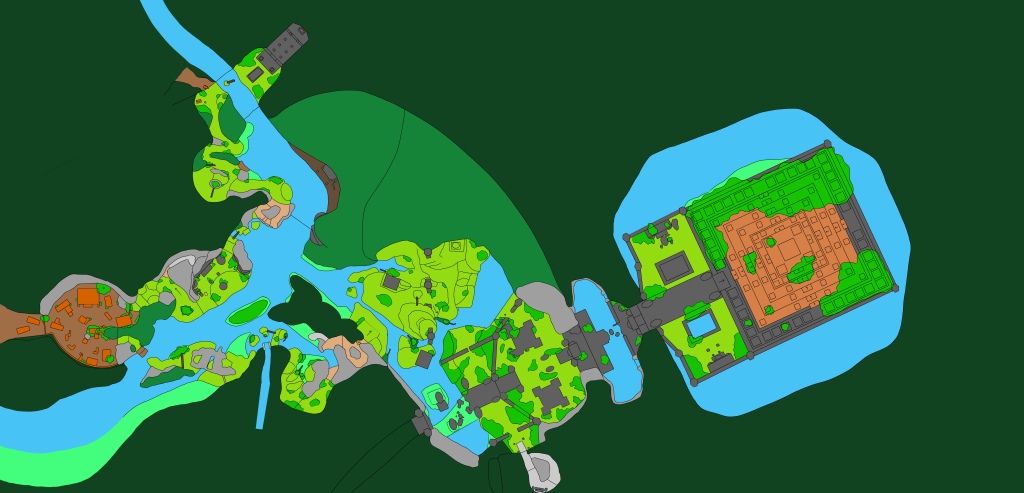
I started the week by adding in the new additions to the map (fig 1), mainly the new start area and the small island in the middle of the river. The new start area consisted of a small abandoned campsite from previous explorers with an small temple to the left across the river, providing an optional area for players to explore. I knew I would be holding a second round of playtesting towards the end of this week and I wanted to see if players did take the time to explore the temple or if they bypassed it all together. Adding in the small temple, the abandoned camping areas and the river crossing encourages players to spend more time in these sections of the map, helping them in the formation of their mental maps.
I started first by making small changes to the vista point, adding in the first couple of trees to the level to make sure that the vista, and most importantly the landmark, was framed correctly when the player comes down the new angle of the path from the abandoned camp site (fig 18). Once I was happy with the the vista point I moved on to building the rest of the new areas. To encourage and reward player exploration the starting district now features two collectibles for the player to find, one in the temple and one up on a small ledge that the player can climb up, which also serves the purpose of introducing the climbing mechanics to the player sooner.
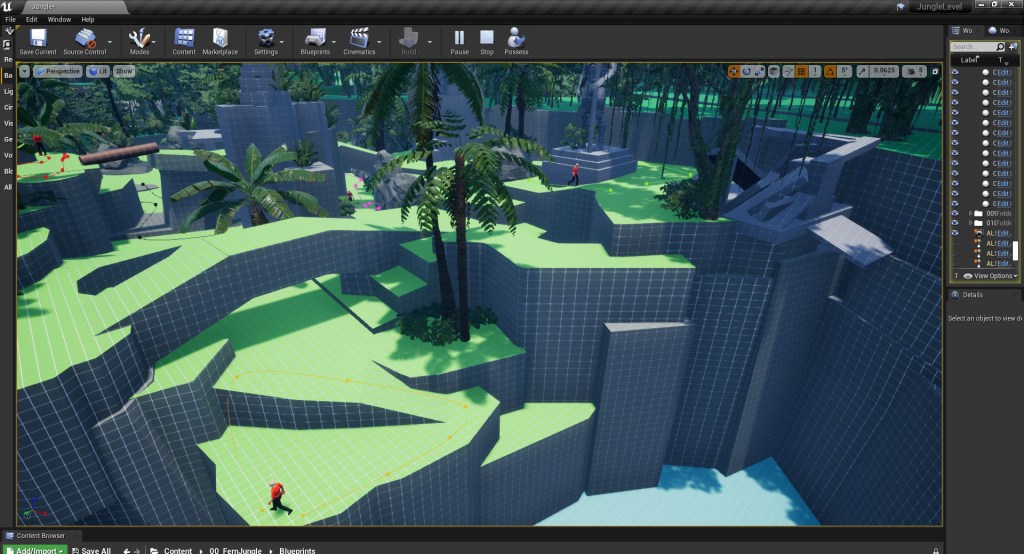
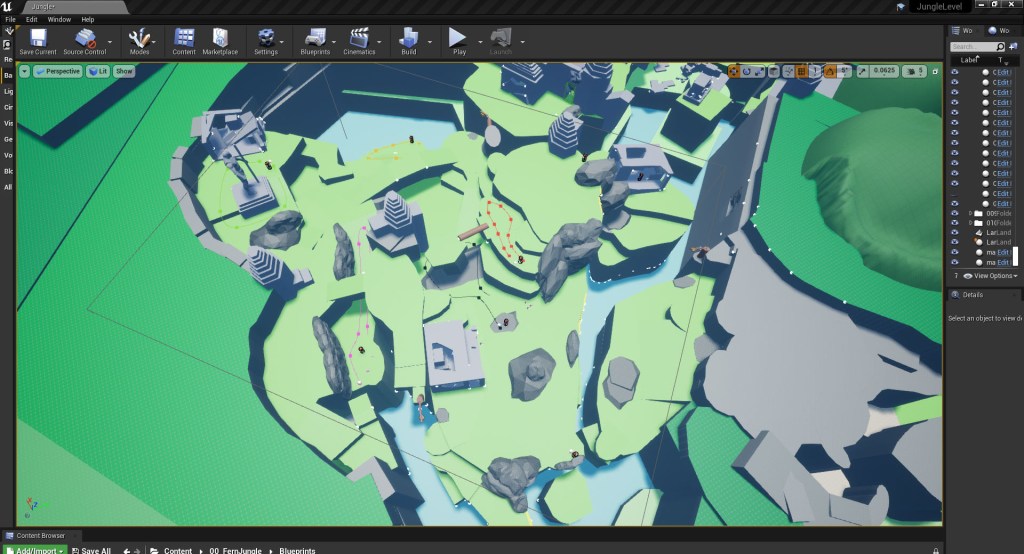
Having final locked off the cliff placements, I added in the two giant faces to the cliff above the water fall. The giant faces serve as a local landmark for this area as they can be seen from various angles of the map. The player captures a glimpse of the top of the first faces head from the first vista point, if they choose to climb up the viewing platform by the cave they get a clear view of the giant face on the left and a partial view of the right one and then they get a full view of the giant faces from the temple area. At this point I decided I still wasn’t happy with the placement of the opening in the exterior wall of the cave (fig 2). With the giant face now added I decided to that the opening in the cave should present the player an additional, more close up view of the right giant face (fig 3). By revealing these giant faces to the player from multiple different angles and distances the player is able to form a clear understanding of how the rest of the spaces correspond to them, cementing them in the players mind as a local landmark and helping them to build and develop a clear and functional cognitive map (fig 4, fig 18).


Once I was happy with the blockout I started working my way through the different areas, adding in an initial pass of the foliage for the first half of the level. Adding in the foliage at this stage was important not just for capturing the feel of the Cambodian jungle, but for knowing whether any major changes needed to be made to the blockout as it is an important framing and guiding tool (fig 5 – 6). Throughout the level I’ve used the trunks and vines to frame the important landmarks while also casting shadows around the edges of the paths which gives the effect of the main path being lit guiding the player forward (fig 18).

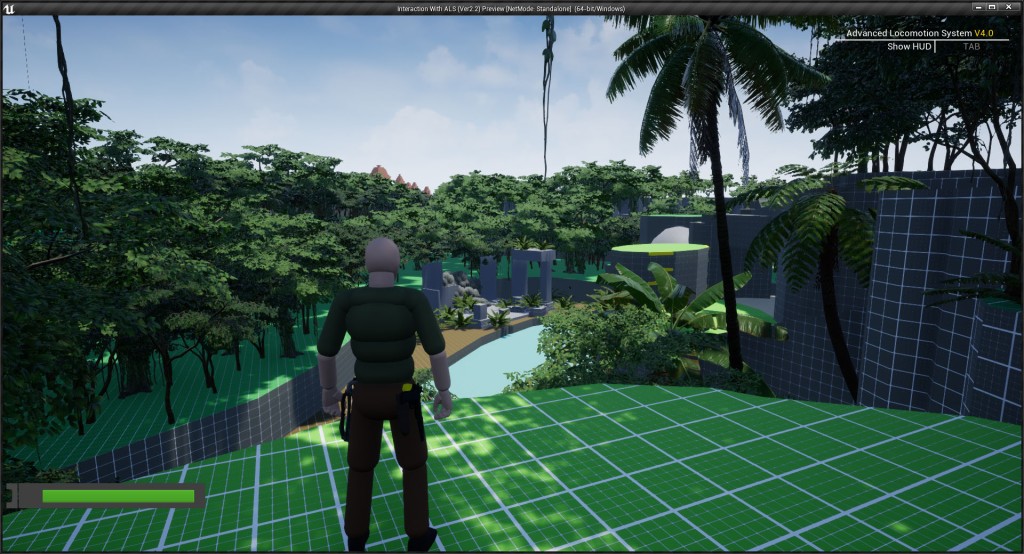
Having completed an initial pass of the foliage for the first half of the level I moved on to finishing the AI setup. Based off the feedback from the supervisor meeting I added a single enemy to the waterfall platforming area that is looking away from the player and will not engage in combat if the player sneaks past (fig 7, fig 18). This teaches the player that they can either use stealth to take out an enemy or choose not to engage in combat altogether preparing them for the next combat encounter after the cave where the player can carefully avoid some enemies but do have to stealth kill others.

With this enemy encounter added I went back and updated the foliage on the small island in front of the temple area. The existing foliage wasn’t an effective site blocker which meant that when entering the small temple area for the first time the lone enemy was spotting the player and entering combat behaviour (fig 8). Though the additional foliage makes it harder for players to get glimpses of future areas of the level, blocking the enemy’s sightline to prevent them from engaging in the encounter before the correct moment was more important. The player is still able to get a clear idea of where they are going next, but this moment now happens once they have climbed out of this space rather than while they are exploring the small temple area.

With the player being introduced to the stealth option before the cliff combat I relooked at how I wanted the combat encounter in this section to playout. Having figured out how add a more stealthy game play option into the level I started by added specific stealth routes to the second combat area, allowing for players who like the challenge of avoiding the enemy and sneaking through a space. Stealth, and avoiding combat altogether, is something that some games have started to actively encourage for certain combat encounters, Uncharted 4: A Thief’s End (2016) for example has an achievement called “Ghost in the Cemetery” for players who are able to complete the Dormitories level without killing or being seen (fig 9). Players who want to collect all the trophies for Uncharted 4: A Thief’s End must complete this area without being spotted or killing any of the enemies.

To give players more warning that they are about to entre a combat zone I had started experiment with ways to make the AI enemies stand out more clearly to the players. The intention being, that the more obvious it is for a player to understand they are entering an enemy location the quicker they can form a plan as to how they want to approach it. Initially I tried changing the colour of the enemy AI to solid red, and while this did help it changing the colour just felt like a temporary fix to a long term problem. If this level was taken to a finished, final art pass stage then the enemies would also be taken to a final art pass meaning the problem of enemies not being clearly telegraphed to the player would return. I found a solution to this problem was movement.
My initial plan for the enemies in this area was to have them mostly as stationary guards, providing players who like to take a stealthy approach the opportunity to do so. This however created another issue of it being very easy to miss the enemies, resulting in this section of the level feeling far too easy and providing little challenge for players who like to engage in all possible combat encounters. Having more patrolling enemies instead of stationary ones was the best solution to both of these problems. The patrolling guards create movement helping players to notice them more easily as the eye is drawn to movement (fig 10 – 13, fig 18). The patrols also create more challenge for the player, both for players who prefer stealth and those who like a more aggressive approach. Players who prefer stealth must carefully watch the guards, working out the windows of opportunity for them to pass by or strategically take out a guard without being spotted. While players who prefer a more aggressive approach have a more challenging combat experience as they aren’t able to see all the guards in the area as they move in and out of the players sight lines. Regardless of the chosen play style, the player is still able to utilise the environment to their advantage, through the previously taught traversal abilities, creating a feeling of mastery over the environment in this area.


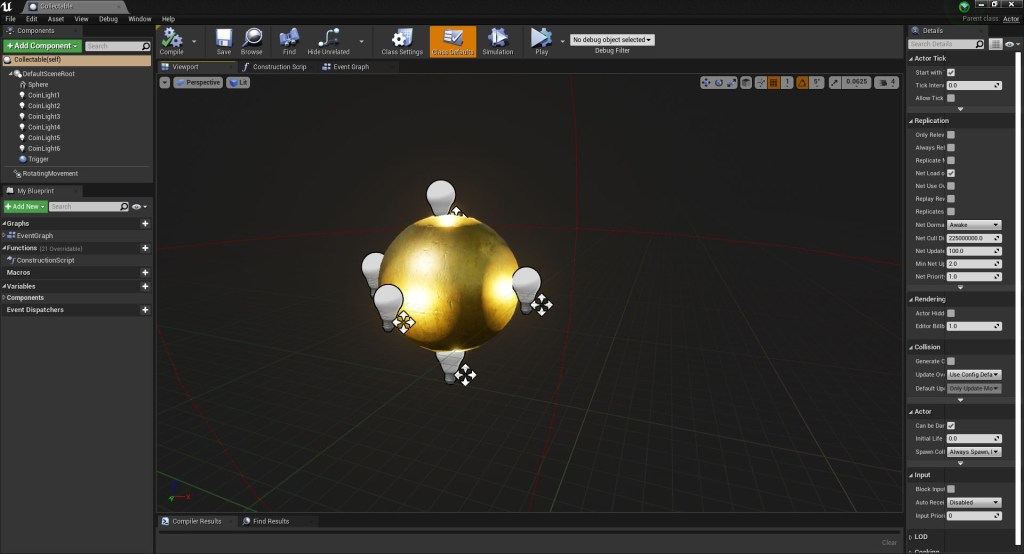
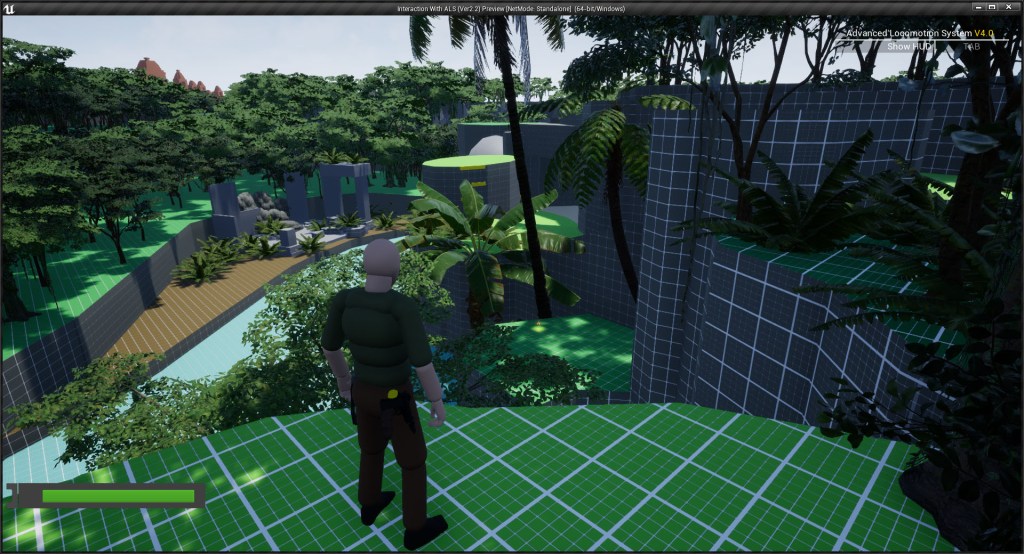
In between working on updating the blockout for the different areas of the map I also set up system for collectibles found within the level. I wanted the collectible to be obvious to the player but not stick out so much that they dominated the environment; they’re a reward for players who explore but not a requirement for completing the level. I started by setting up a golden sphere but found that this didn’t stand out from the environment enough. While I don’t want the collectible to be a main feature I did want them to be visually interesting and encourage the players to try to reach them if they saw them from afar. I ended up adding a series of lights surrounding the sphere and having the sphere rotate (fig 14). While not a big change it did create feeling of a golden object glistening in the sun, helping it to stand out from its environment (fig15, fig 18). Next I set up the blue print so that the collectible would disappear when the player steps into it (fig 16) as well as play a coin flick (Sojan 2016) sound to indicated that the player had collected the item which I sources from freesounds.org. As I was working in the level blueprint I also decided to added the exit game function so that players could easily exit the level build by pressing ESC as this isn’t something that is automatically included in unreal builds (fig 17).


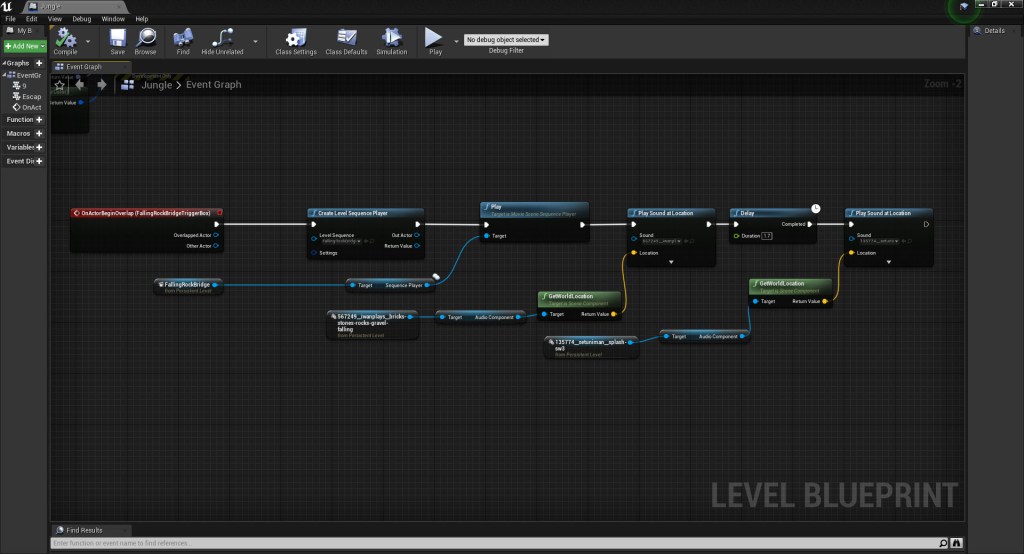
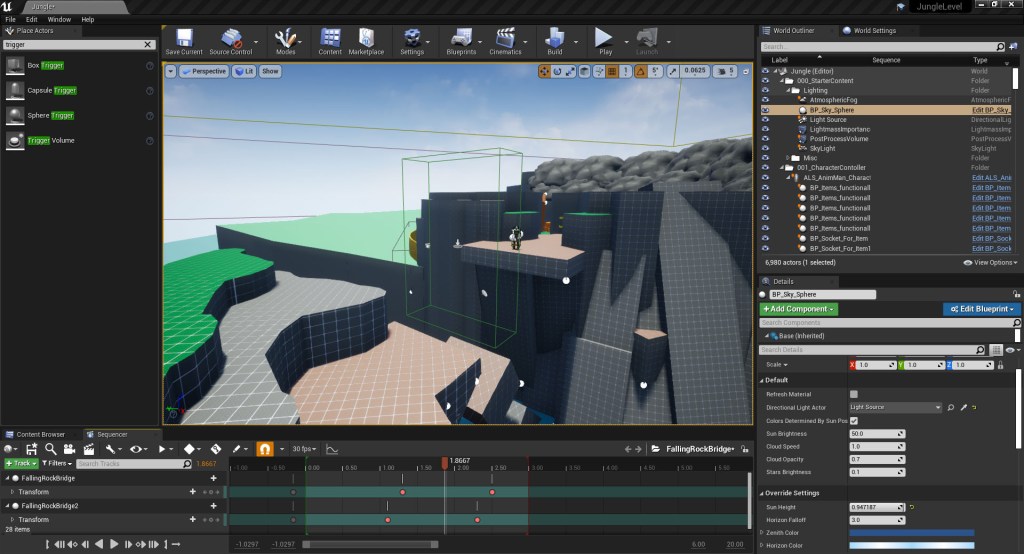
I decided to take a break from working on the physical blockout towards the end of the week to set up a scripted event. I’d been toying with the idea of adding in scripted moments to some of the valves in the level to increase the feeling of tension and danger, helping to keep the player immersed. I decided to added in a collapsing rocks scripted event for the overhang where the player jumps across the river after completing the illegal logging site section of the map. Using blueprints (fig 19) and the timeline sequencers (fig 20 – 21) I created a triggered event consisting of part of the overhang collapsing once the player has started the jump across to the other side. Since there is a strong chance that the player will land not facing the direction they have jumped from, I also added in sound effects of rocks falling (iwanPlays, 2021) and hitting the water (Setuniman, 2011) to alert the player that the pathway has collapsed behind them.

Though this jump already worked effectively as a valve to stop the player back tracking, adding in this scripted sequence helped to create a feeling of tension, suspense and peril that leaves the player feeling like a strong and courageous adventure when they successfully make the jump. I really liked the impact the addition of this scripted event made to this section, adding a sense of consequence and cause and effect with the player being able to see the physical effect they have had on the environment. I finished off this week by holding a second round of playtesting; I’ll spend the weekend going through the feedback and it’ll be really interesting to see how players feel about the changes I’ve made.
“To say that nothing is true is to realize that the foundations of society are fragile and that we must be the shepherds of our civilization. To say that everything is permitted is to understand that we are the architects of our actions and that we must live with our consequences, whether glorious or tragic.”
Ezio Auditore da Firenze – Assassin’s Creed: Revelations (2011)
References:
IWANPLAYS. 2021. “Bricks/Stones/Rocks/Gravel Falling” Freesounds [Sound effect] Available at: https://freesound.org/people/iwanPlays/sounds/567249/ [Accessed 4th August 2022].
SOJAN. 2016. “Coin Flic 5” Freesounds [Sound effect] Available at: https://freesound.org/people/Sojan/sounds/334303/ [Accessed 4th August 2022].
SETUNIMAN. 2011. “splash sw3.WAV ” Freesounds [Sound effect] Available at: https://freesound.org/people/Setuniman/sounds/135774/ [Accessed 4th August
Figures:
Figure 1: Updated 2D level map
Figure 2: Screengrab from Jungle level blockout
Figure 3: Screengrab from Jungle level blockout
Figure 4: Screengrab from Jungle level blockout
Figure 5: Screengrab from Jungle level blockout
Figure 6: Screengrab from Jungle level blockout
Figure 7: Screengrab from Jungle level blockout
Figure 8: Screengrab from Jungle level blockout
Figure 9: Screenshot from Uncharted 4: A Thief’s End showing the “Ghost in the Cemetery” Trophy
Figure 10: Screengrab from Jungle level blockout
Figure 11: Screengrab from Jungle level blockout
Figure 12: Screengrab from Jungle level blockout
Figure 13: Screengrab from Jungle level blockout
Figure 14: Screengrab of collectable object set up
Figure 15: Screengrab from Jungle level blockout
Figure 16: Screengrab of collectable blueprint set up
Figure 17: Screengrab of exit game blueprint set up
Figure 18: Video of blockout time laps
Figure 19: Screengrab from Jungle level blueprints for scripted collapsing cliff event
Figure 20: Screengrab from Jungle level blockout of sequencer for scripted event
Figure 21: Screengrab from Jungle level blockout of sequencer for scripted event
Games:
Assassin’s Creed: Revelations. 2011. Ubisoft Montreal, Ubisoft
Uncharted 4: A Thief’s End. 2016. Naughty Dog, Sony Interactive Entertainment.
 Fern Griffiths
Leave a comment